Model explorer
The Model explorer is the tree of one model file. It shows the subjects that the file describes, sorted by vocabulary. It is the place to find an element, to drag it onto a canvas, and to move it to another file.
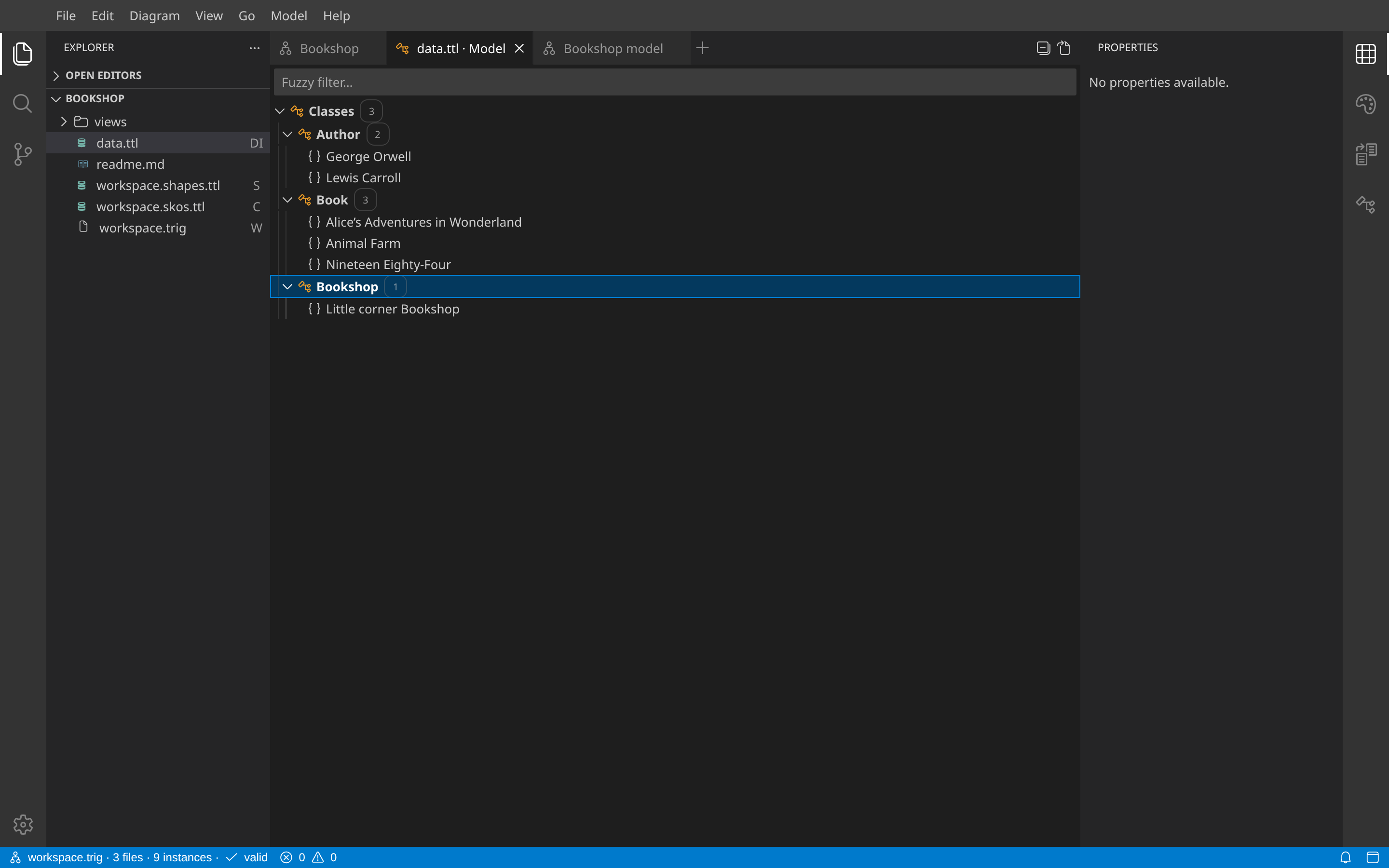
Open it
- Select a model RDF file in the Explorer. A file that is not a view and not the workspace file opens as its Model explorer.
- From another presentation of the file, select Open as… → Model.
Model folders load when you open them. Move or split Model panes with the same tab controls as source editors and canvases.
What it shows
- A Model pane shows only the subjects that its file describes. A class that the file only uses as a type is a folder, not an element. The workspace file has no Model rows.
- The sections are the vocabularies: Classes (classes, subclasses and instances as written) and Shapes (node shapes and their property shapes).
- A folder shows 100 rows at a time. Click Show more for the next rows.
- Each row shows where it is. Double-click or Enter opens the element in another pane (Open in…).
Filter
Type while a row has focus, or use the fuzzy filter input. Matches can have gaps. The tree hides nonmatching branches, highlights matching characters, and keeps the ancestors of matches visible. Escape clears the filter.
Drag and drop
Drag and drop moves elements between the places of the screen:
| From | To | Effect |
|---|---|---|
| Model explorer row | Canvas | Places the element on the view. Its relations to cards already on the view are placed too. |
| Model explorer folder | Canvas | Places all descendants, including elements hidden by the filter. A folder drag does not create instances. |
| Links row | Canvas | Places the element. |
| Model explorer row | Another Model explorer | Moves the element to that file. Confirm the element count and the destination. Only statements supplied by the source file move. Other files and resource IRIs stay unchanged. Undo restores the transfer. |
| Explorer file | Canvas | Links to the file: a view reference for a view file, a file reference for another file. |
| Property row | Another property of the same shape | Makes an Or constraint. |
| Concept | Another concept | Adds a broader parent. |
A shape moves with its structural nodes. If a nested shape has an unselected parent, select that parent before moving it. View files are not file-move destinations.