5. Update the shape
The data now suggests a rule: a book has at least one author. Change the shape, and let the data tell you where it fails.
- Open the Main view.
- Click the cardinality badge
0..*of the author line until it says 1..*.
Catenary validates the model after each change. Nineteen Eighty-Four has no author, so its card on the Books view gets a dashed border and a badge.
- Open View → Problems to read the violation.
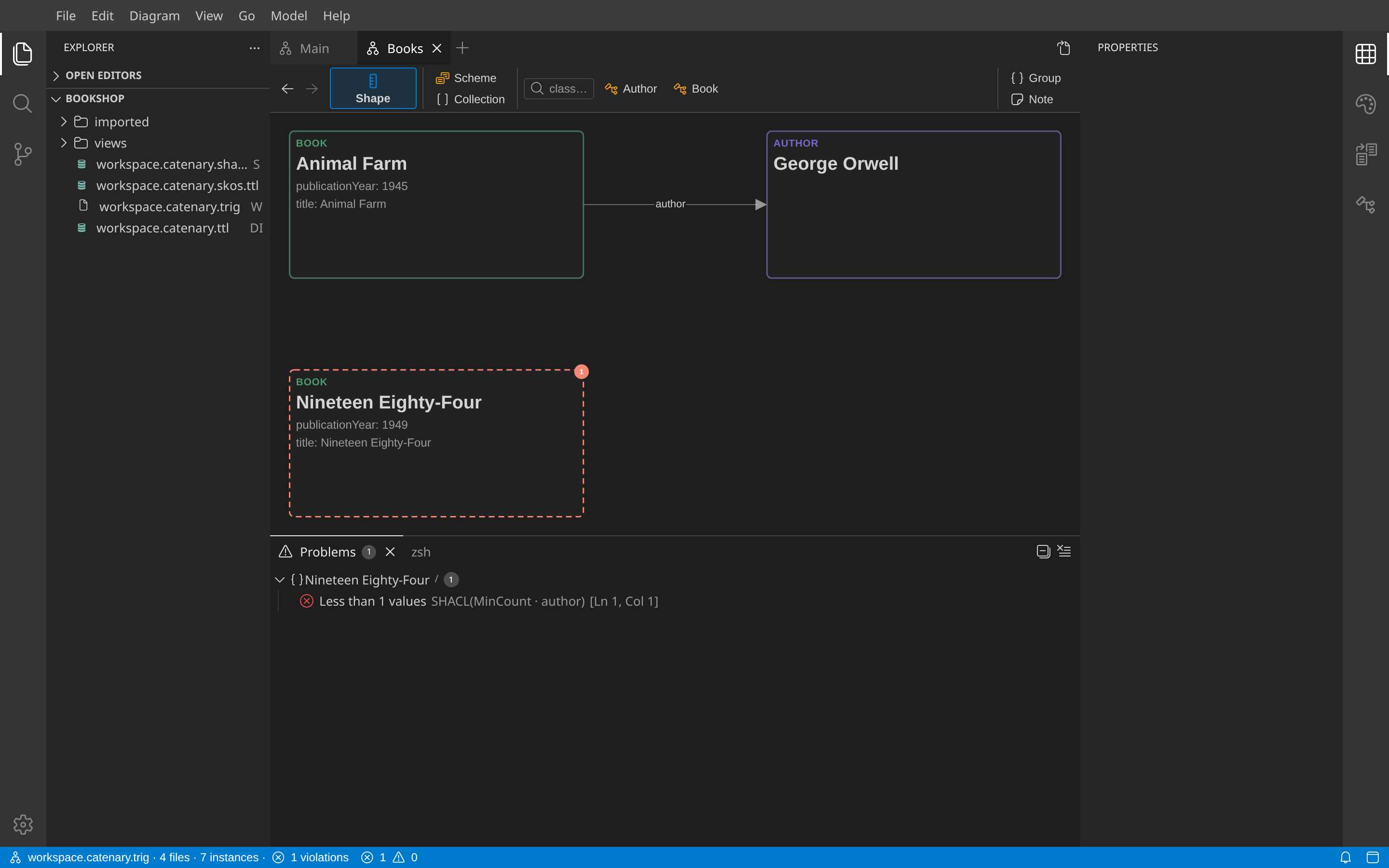
A click on a problem selects the instance. Add the author with + on the card, and the problem goes away.
This is the loop of Catenary: draw a shape, create data, change the shape, read the problems, and repeat until the two agree. Undo (Ctrl+Z) reverts any step, shapes and data alike.
Next: Write it up.