3. Draw the shapes
A node shape describes a class: its attributes, its relations, and what counts as valid. The shapes supply the fields of the Properties panel and the tools of the palette.
The Book shape
- Select Shape in the palette and click an empty place on the canvas.
- Type
Bookand press Enter. The typed name also sets the target class. - Click + attribute on the card. Type
titlefor the path and keepxsd:string. - Click the cardinality badge of the row until it says 1: a book has exactly one title.
- Add a second attribute
publicationYear. Double-click the datatype pill and selectxsd:integer.
The Author shape
- Create a second shape
Authorthe same way. - Add the attribute
bornwith the datatypexsd:date. - Hover the Author card and click the + on its right side. Select the Cities scheme as the target. The line goes to the imported scheme, and the path editor opens on it.
- Type
cityas the path and press Enter.
Connect the two
- Hover the Book card and click +.
- Select the Author shape as the target.
- Type
authorin the path editor of the new line and press Enter.
A line with the cardinality 0..* goes from Book to Author.
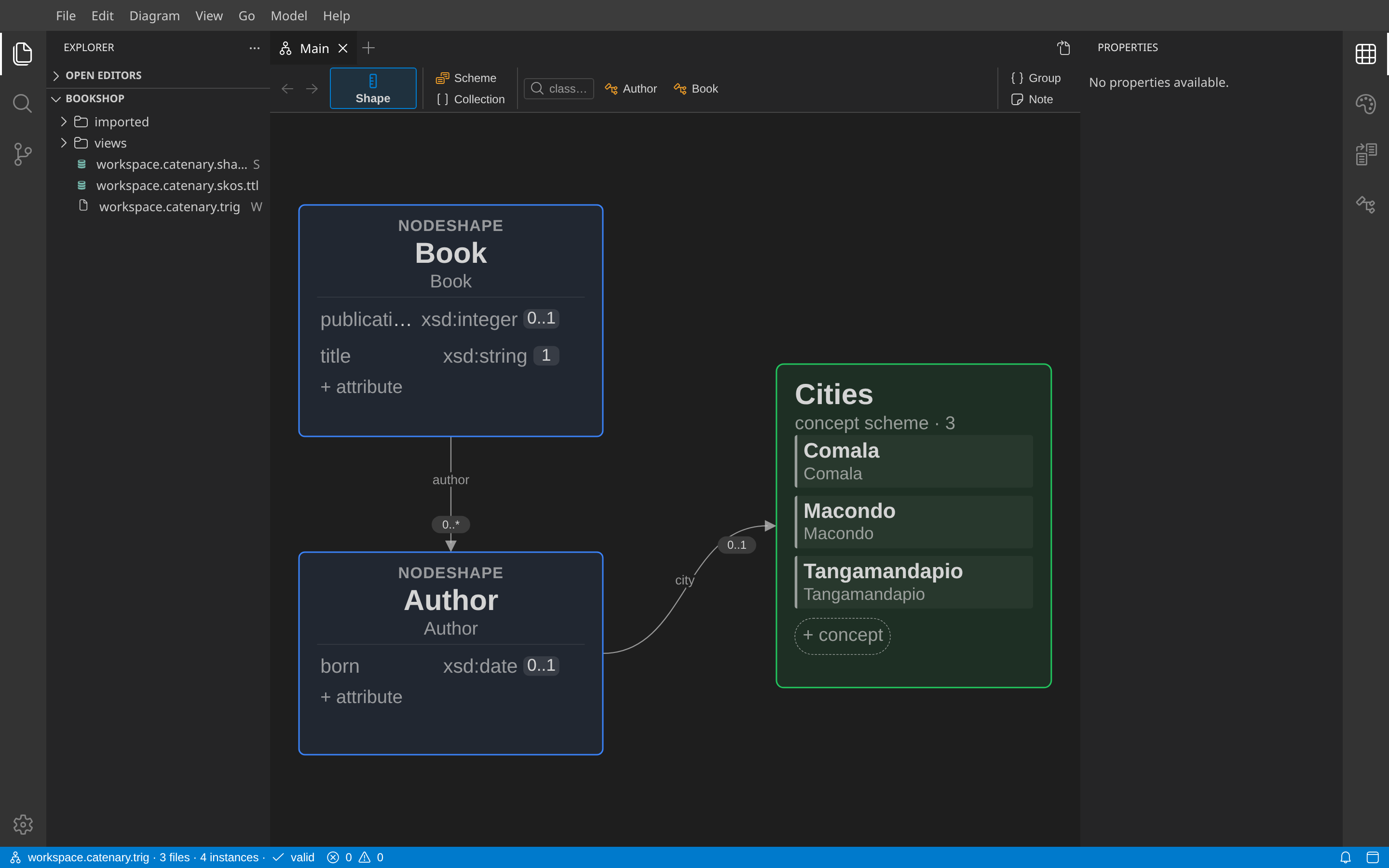
The palette now has a Book tool and an Author tool. Each tool creates an instance of the target class of its shape.
Next: Create instances.